Overview of ATEX/IECEx and scope for cameras
The risk feels high in hazardous areas. I see confusion. I want to make ATEX and IECEx simple for camera projects.
ATEX and IECEx define safety rules for equipment in explosive atmospheres. For cameras, they set zone suitability, temperature limits, protection types, marking, and documentation. Choose certified models, match zone and gas group, and follow installation and labeling requirements.
%ATEX IECEx explosion-proof camera overview
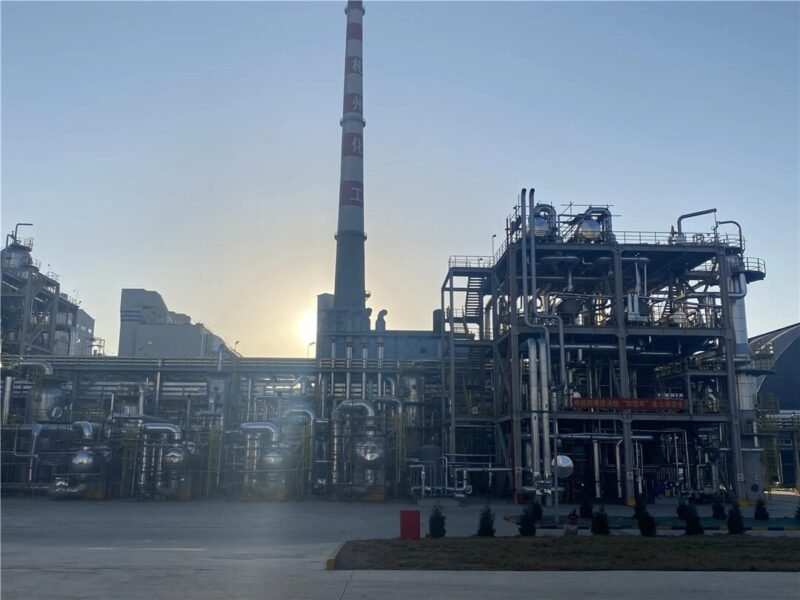
I meet plant teams who need clear answers. I share simple steps. I link rules to real projects to keep people safe.
Zone/T-class mapping to camera specs?
I see teams pick cameras by resolution first. They miss the zone and T-class. That causes delays and risk.
Map camera selection to zone, gas group, and T-class. Zone defines protection type and certification. T-class defines max surface temperature. Choose optics, housing, and power that keep surface temperature below the T-class for your gas and ambient conditions.
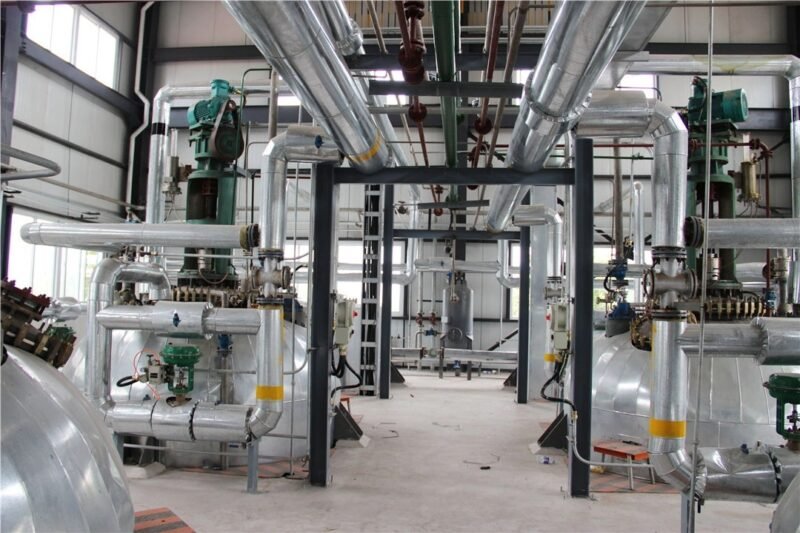
I start every project with a site classification review. I confirm the zone, gas group, and temperature class with HSE and the client. I check ambient temperature and sun load. I then match optics and heaters to keep the surface temperature within limits. I have learned this the hard way on a hot refinery pipe rack. A camera with a big IR ring and a heater looked fine on paper. In summer it ran near the limit. We swapped the heater profile and used a lower-power IR. The device then stayed below the T-class and passed inspection.
Key mapping factors
- Zone: Zone 0, Zone 1, Zone 2 define risk frequency. Zone 0 needs special solutions. Zone 1 and Zone 2 allow more options.
- Gas group: IIA, IIB, IIC mark ignition energy. IIC is the most demanding for gas. Dust uses IIIA, IIIB, IIIC.
- T-class: T6 to T1 mark max surface temperature (T6 ≤ 85°C, T1 ≤ 450°C). The camera must stay below this in all conditions.
- Optics and IR: IR LEDs add heat. Choose power and duty cycle carefully, or move to external IR.
- Heaters and blowers: Use thermostats and profiles to limit heat during hot days.
- Power: PoE vs AC can change thermal load. Check worst case.
- Housing: Larger mass spreads heat. Shrouds and sun shields help.
- Ambient: Check local maximum and direct sun. Consider black paint vs silver.
T-class quick reference
| T-Class | Max Surface Temp | Typical Gas Considerations | Camera Notes |
|---|---|---|---|
| T6 | ≤ 85°C | Low ignition temp gases | Limit IR and heater power |
| T5 | ≤ 100°C | Hot zones with light hydrocarbons | Manage sun load and PoE budget |
| T4 | ≤ 135°C | Common refinery and chemical | Balanced IR, larger housing |
| T3 | ≤ 200°C | Many general gases | More margin for heater use |
| T2 | ≤ 300°C | Less common | Rare for cameras |
| T1 | ≤ 450°C | Rare | Not typical for cameras |
Ex d vs Ex p vs Ex e and when to choose?
I often see mixed advice on protection types. That makes teams wait and lose time.
Pick Ex d (flameproof) for robust fixed housings and broad Zone 1 use. Pick Ex p (pressurization) for enclosures with active purging and controls. Pick Ex e (increased safety) for Zone 2 or for parts without ignition sources. Match type to zone, maintenance, and cost.
%Ex d vs Ex p vs Ex e camera protection types
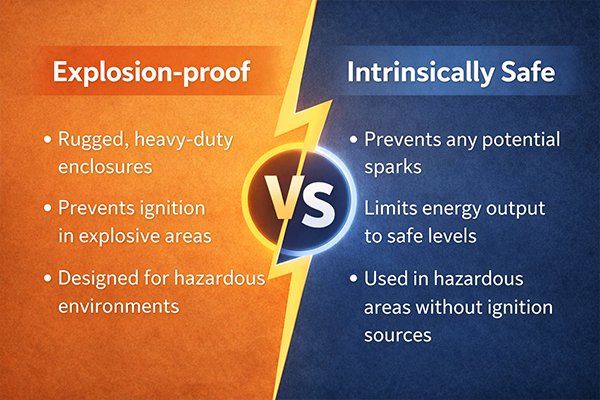
I help clients weigh risk, cost, and operations. In a gas compression station, we chose Ex d for outdoor PTZ cameras. The flameproof housing gave simple compliance and low maintenance. In a control room near Zone 1, we needed a larger cabinet with analytics servers. We used Ex p with purging and monitoring. It kept clean air inside and allowed standard electronics. In a storage area with Zone 2, we used Ex e junction boxes with certified cable glands and an Ex d camera head. This reduced cost and simplified spares.
Comparison by need
| Criterion | Ex d (Flameproof) | Ex p (Pressurization) | Ex e (Increased Safety) |
|---|---|---|---|
| Typical Zone | Zone 1 and 2 | Zone 1 and 2 | Zone 2 (some Zone 1 parts with limits) |
| Principle | Contain and cool internal explosion | Maintain clean pressurized air to prevent ingress | Remove ignition sources and improve insulation |
| Maintenance | Low once installed | Medium to high (monitoring, purge gas) | Low |
| Complexity | Moderate | High (controls, alarms, interlocks) | Low |
| Size/Flexibility | Fixed camera housings, PTZ | Larger enclosures, more electronics inside | Junction boxes, terminals |
| Cost | Medium | Higher | Lower |
| Best Use | Outdoor PTZ, fixed dome in hazardous gas | Cabinets with electronics, analytics, NVRs | Aux equipment, terminals, Zone 2 parts |
Selection tips
- If you need simple field cameras in Zone 1, choose Ex d.
- If you need many electronics in one box, choose Ex p.
- If your area is Zone 2 and loads are simple, Ex e helps cost.
- Always check T-class, gas group, and ingress protection.
Documentation required for audits (DoC, QAN/QAR)?
I see audits stall because one paper is missing. This hurts schedules and trust.
Prepare the EU Declaration of Conformity (DoC), ATEX/IECEx certificates, Quality Assurance Notification (QAN) and Quality Assessment Report (QAR), test reports, drawings, and marking sheets. Keep installation manuals, material traceability, and service records ready.
I build audit files as a habit. I keep them ready for inspectors and clients. I learned this after a port terminal audit where we spent two hours hunting a QAR reference. Now I use a simple index and a shared folder. I include factory acceptance photos and torque records. I include the label layout and the exact marking string. Inspectors like clear evidence. Clients like fast answers.
Audit pack checklist
| Document | Purpose | Notes |
|---|---|---|
| EU DoC | Legal declaration for ATEX | Signed by manufacturer, references standards and category |
| ATEX Cert (EC-Type/DEKRA, etc.) | Product compliance | Includes marking, zones, T-class, gas/dust groups |
| IECEx CoC | International compliance | Often mirrors ATEX data for global use |
| QAN (ATEX) / QAR (IECEx) | Factory quality approval | Links to production site; check validity dates |
| Test Reports | Technical proof | Thermal, IP, impact, EMC, environmental |
| Drawings and BOM | Configuration control | Camera model, housing, glands, accessories |
| Marking Sheet | Exact label content | Verifies coding string used on product |
| Installation Manual | Safe installation steps | Cable types, glands, torque, sealants |
| Material Traceability | Batch and serial records | Critical for spares and field issues |
| Service and Calibration | Maintenance proof | Heaters, seals, pressure systems (for Ex p) |
Installation and labeling rules?
I see strong engineering on paper. I see poor installation in the field. That breaks compliance.
Follow EN/IEC 60079 rules. Use certified cable glands. Match temperature rating and IP. Apply correct torque. Maintain creepage and clearance. Keep labels visible and durable. Record serials and marking strings in the handover package.
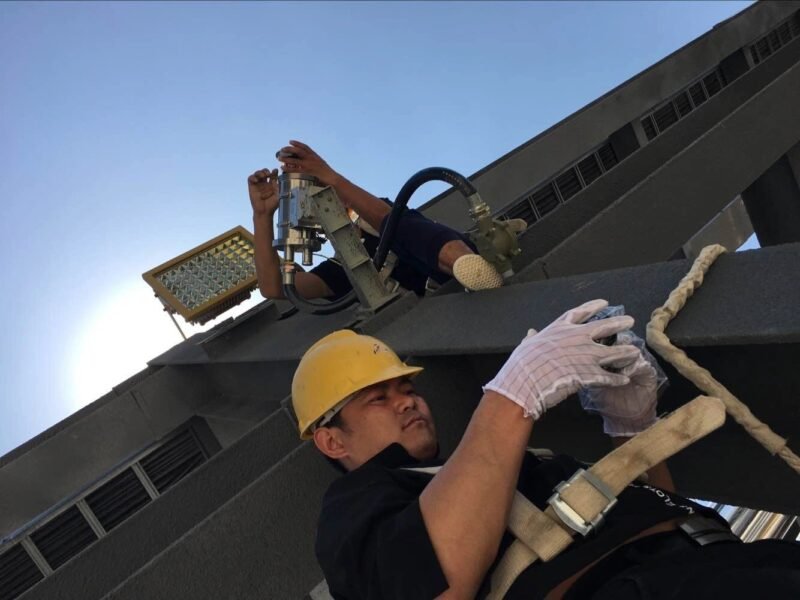
I walk the site before work starts. I check the cable type and gland list. I confirm threads and adapters, metric or NPT. I verify O-rings and seals for the ambient range. I show the team the marking string and where the label sits. I explain why paint over labels is a problem. On a tank farm job, we avoided a rework when a painter almost covered the Ex marking. We taped labels and took photos for records. I recommend torque stickers on Ex d covers, and a small maintenance tag under the sunshield.
Field rules that keep compliance
- Use certified glands that match cable type and enclosure protection.
- Seal unused entries with certified stopping plugs.
- Respect IP rating. Use sun shields and drip loops to reduce water ingress.
- Apply torques from the manual. Use calibrated tools.
- Keep locking screws and flamepath surfaces clean and undamaged.
- Maintain clear label visibility. Do not paint or cover markings.
- Verify earth bonding and continuity.
- Check ambient limits for heaters and IR modules.
- Record serials and locations in the as-built pack.
Example label elements
| Element | Meaning | Example |
|---|---|---|
| Ex marking | Protection concept | Ex d IIC T4 Gb |
| Dust marking | Dust protection | Ex t IIIC T85°C Db IP66 |
| Cert number | Certification reference | ATEX: DEMKO 21 ATEX 1234X; IECEx: IECEx DEM 21.0123X |
| Ambient | Temperature range | -40°C to +70°C |
| Serial | Traceability | SN: EXV-2024-000123 |
| Warnings | Safety notes | Do not open while energized |
Crosswalk to NEC/CSA for global projects?
I handle projects that span Europe, the Middle East, and North America. Teams need a clear crosswalk.
Map ATEX/IECEx Zones to NEC/CEC Class/Division. Zone 0/1/2 align with Class I Division 1/2. Gas groups map to A–D vs IIA–IIC. Use dual-marked equipment or approved equivalence and local authority acceptance.
I plan global projects with dual compliance. In a petrochemical plant in Texas, the client had Zone design on drawings, but the AHJ used Class/Division. We presented IECEx certificates with a CSA Class/Division listing for the same camera housing. The AHJ accepted the dual marking. We added a small table in the spec that mapped zones to divisions and gas groups. This saved weeks of debate.
Crosswalk overview
| ATEX/IECEx | NEC/CEC | Notes |
|---|---|---|
| Zone 0 | Class I Division 1 | Continuous presence of flammable gas |
| Zone 1 | Class I Division 1 | Frequent presence |
| Zone 2 | Class I Division 2 | Infrequent presence |
| IIC | Group A/B | Hydrogen and acetylene equivalence |
| IIB | Group C | Ethylene equivalence |
| IIA | Group D | Propane equivalence |
| IIIC | Class II Group G | Dusts, conductive |
| IIIB | Class II Group F | Coal dust |
| IIIA | Class II Group E | Metal dust |
Global selection tips
- Prefer dual-listed cameras: ATEX/IECEx and NEC/CSA.
- Confirm local authority acceptance early.
- Align T-class with T-code or autoignition limits locally.
- Use local glands and thread standards.
- Match temperature ratings for outdoor sun load.
- Keep one audit pack with both schemes.
Conclusion
I choose protection by zone, manage T-class heat, prepare documents, install right, and map standards for global compliance.